
📡🌍 MASTER ICOM IDAS NXDN MUNDIAL — X-NET 🌍📡
🚀 ¡Ya está disponible!
DASHBOARD https://icom.nxdn.es/
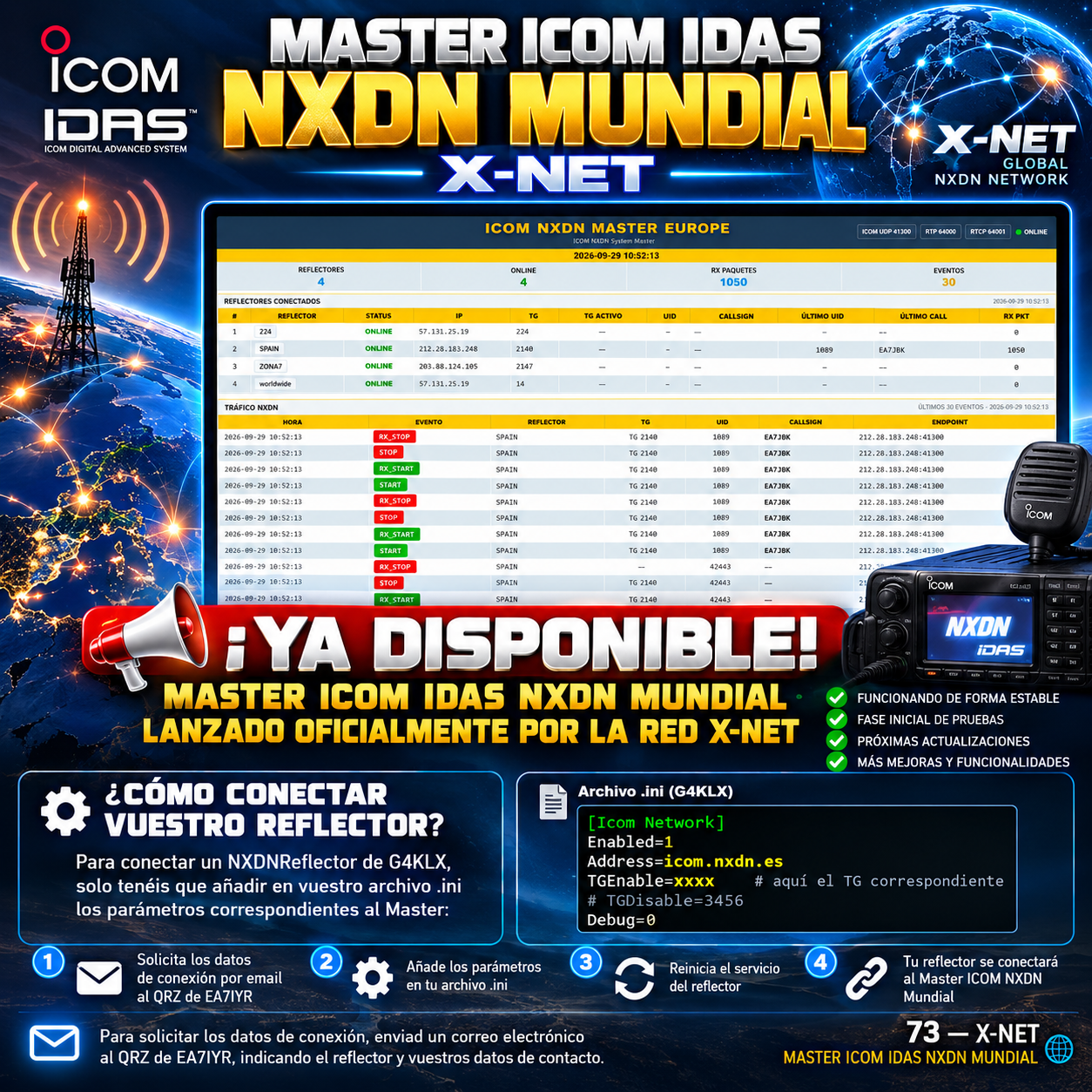
El Master ICOM IDAS NXDN Mundial ya está listo, funcionando de forma estable y ha sido lanzado oficialmente hoy a través de la red X-NET. 🎉📡
🛠️ Esta primera versión se encuentra en una fase inicial de pruebas, aunque actualmente está funcionando de forma estable. Durante las próximas semanas iremos incorporando nuevas actualizaciones, mejoras y funcionalidades. 🔧🚀
🧪📻 ¡Os animamos a realizar pruebas y a probar el funcionamiento del nuevo Master!
🔌 ¿Cómo conectar vuestro reflector?
Para conectar un NXDNReflector de G4KLX, simplemente tenéis que añadir en vuestro archivo .ini los parámetros correspondientes al Master:
[Icom Network]
Enabled=1
Address=icom.nxdn.es
TGEnable=xxxx
# TGDisable=3456
Debug=0
🔢 En TGEnable=xxxx debéis indicar el TG correspondiente a vuestro reflector.
⚠️ Una vez configurados los parámetros en el archivo .ini, simplemente reiniciáis el servicio del reflector y este podrá conectarse al Master. 🔄📡
📧 ¿Quieres conectar tu reflector?
Para solicitar los datos de conexión, enviad un correo electrónico al QRZ de EA7IYR, indicando el reflector que queréis conectar y vuestros datos de contacto. 📩
🌐 Seguimos trabajando para incorporar nuevas funciones, mejoras y actualizaciones en próximas versiones.
🤝 Gracias a todos los que participáis en las pruebas y ayudáis a seguir mejorando la red.
73 — X-NET 📡🇪🇸
- ENG
🌍 Master ICOM IDAS NXDN Mundial
📡🌍 Global ICOM IDAS NXDN Master — X-NET 🌍📡
🚀 It’s now available!
The Global ICOM IDAS NXDN Master is ready, running stably, and has been officially launched today via the X-NET network. 🎉📡
🛠️ This initial version is in an early testing phase, though it is currently operating stably. Over the coming weeks, we will be rolling out new updates, improvements, and features. 🔧🚀
🧪📻 We encourage you to run tests and try out the new Master!
🔌 How to connect your reflector?
To connect a G4KLX NXDNReflector, simply add the parameters corresponding to the Master into your .ini file:
[Icom Network]
Enabled=1
Address=icom.nxdn.es
TGEnable=xxxx
# TGDisable=3456
Debug=0
🔢 In TGEnable=xxxx, you must specify the TG corresponding to your reflector.
⚠️ Once the parameters are configured in the .ini file, simply restart the reflector service, and it will be able to connect to the Master. 🔄📡
📧 Want to connect your reflector?
To request connection details, send an email to EA7IYR (via QRZ), indicating the reflector you wish to connect and your contact information. 📩
🌐 We continue working to incorporate new features, improvements, and updates in future versions.
🤝 Thanks to everyone participating in the tests and helping to keep improving the network.
73 — X-NET 📡🇪🇸
🌍 Global ICOM IDAS NXDN Master
Visitas: 8